Basic sample (.NET)
Overview
This sample demonstrates the basics of the Remoting SDK Server and Client.
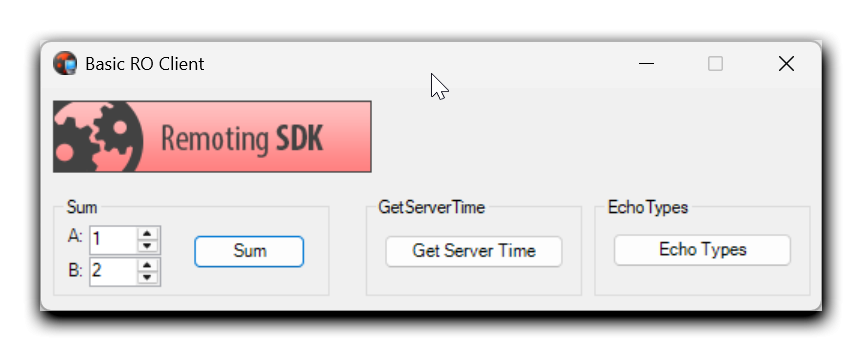
Getting Started
- Build and launch the Basic Sample Server. It contains one service with three operations:
Sum,GetServerTimeandEchoTypes. - Build and launch the Basic Sample Client.
- Set values for A and B and click
Sum– the result is shown in a message box. - Click
Get Server Time– the server's current time is shown. - Click
Echo Types– several different data types are sent to the server and echoed back.
Examine the code
The sample shows the basics in working with the Remoting SDK framework.
The server
The server side contains a RODL file with the service BasicService, which can add two numbers, return the server time, or echo back several different data types. Each operation has its own implementation:
- BasicService_Impl.cs
public virtual int Sum(int A, int B)
{
    return A + B;
}

public virtual System.DateTime GetServerTime()
{
    return DateTime.Now;
}
. . .
The client
The client side represents the Remoting SDK client that contains the message and channel components to create a Remoting SDK proxy service and interface file (BasicLibrary_Intf.cs) with the corresponding proxy class declaration. The client uses a standard mechanism to call service operations:
- ClientForm.cs
//private RemObjects.SDK.WinInetHttpClientChannel clientChannel;
//private RemObjects.SDK.BinMessage clientMessage;
//BasicService = CoBasicService.Create(clientMessage, clientChannel);
private void bSum_Click(object sender, System.EventArgs e)
{
   int result = BasicService.Sum((int)nudA.Value, (int)nudB.Value);
   MessageBox.Show("The server returned " + result.ToString());
}

private void bGetServerTime_Click(object sender, System.EventArgs e)
{
   DateTime result = BasicService.GetServerTime();
   MessageBox.Show("The server time is " + result.ToString());
}