Smart Project - Creating Scalable Smart Service (.NET)
A Remoting Smart Service™ publishes the same service over more than one message format at the same time: your own applications can talk to it using Remoting SDK's efficient BinMessage protocol, while any third party on any platform can reach the same service through standard SOAP over HTTP.
This article shows both halves of that idea in .NET:
- Take an ordinary Remoting SDK server and expose it over SOAP as well, turning it into a Smart Service.
- Consume that service from a plain client that uses no Remoting SDK libraries at all – just the standard SOAP support built into Visual Studio.
See article Smart Project - Creating Scalable Smart Service (Delphi) for the Delphi edition.
We will use the Basic sample that ships with Remoting SDK for .NET. Its server exposes a BasicService with two simple methods, Sum(A, B) and GetServerTime(), over a BIN endpoint on port 8099.
Exposing the service over SOAP
Open the Basic sample, open the server's main form in the designer, and do the following:
- From the Toolbox, drop a
SoapMessagecomponent onto the form. It appears assoapMessage1in the component tray. - Select the
soapMessage1component and, in itsSerializationOptionsproperty, clear theSplitServiceWsdlsflag. This makes the server publish a single combined WSDL document at the dispatcher root, which is the easiest form for SOAP tooling to consume. - Select the server channel component, open its
Dispatcherscollection, and add a second dispatcher next to the existingbinone. Set itsNametosoapand itsMessagetosoapMessage1.
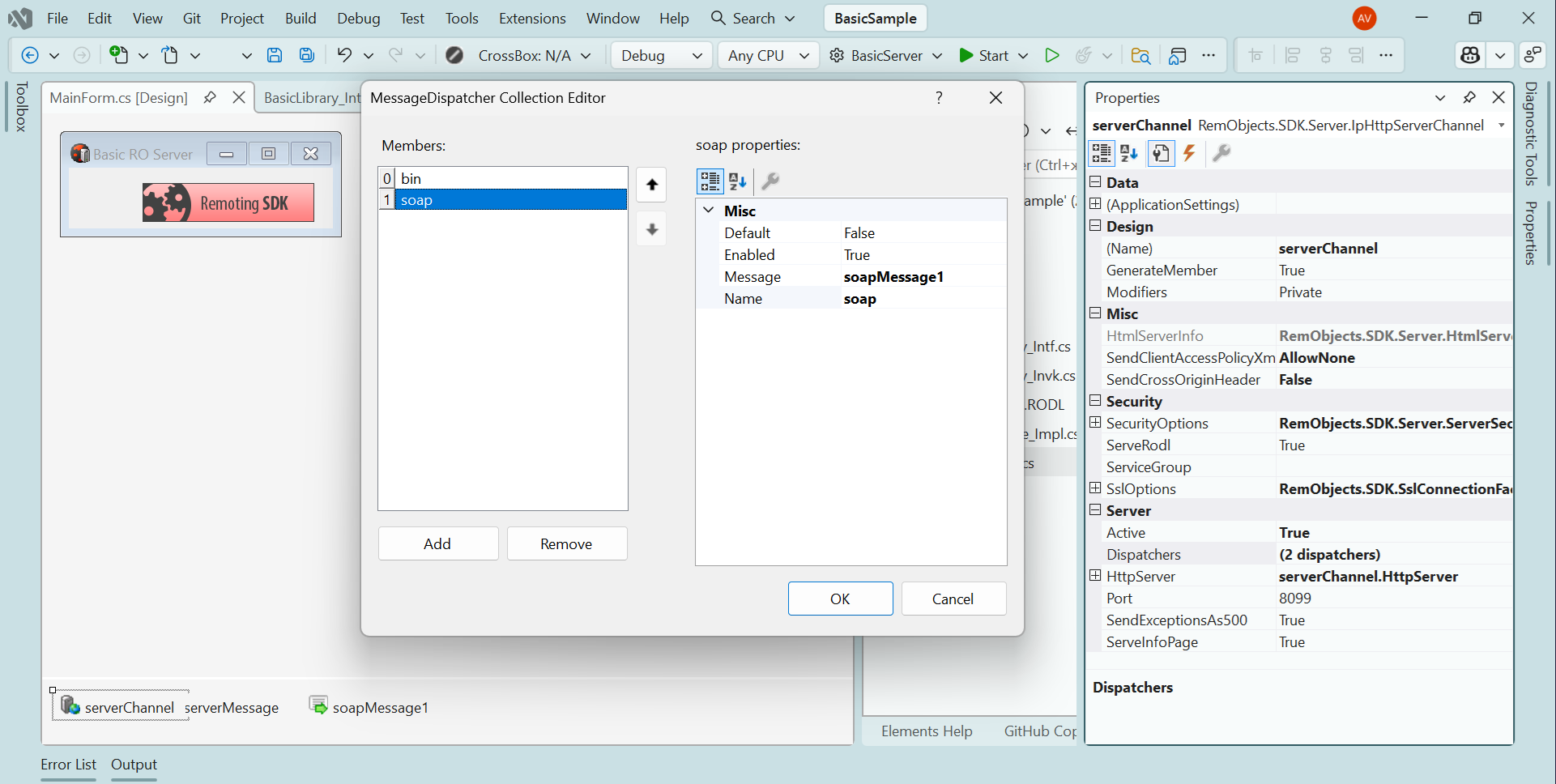
That is all it takes. The HTTP server channel now serves two message formats on the same port, each under its own URL path: BinMessage at http://localhost:8099/bin and SOAP at http://localhost:8099/soap.
Run the server, then open http://localhost:8099/soap in a browser. The server returns the WSDL document describing BasicService and its operations:
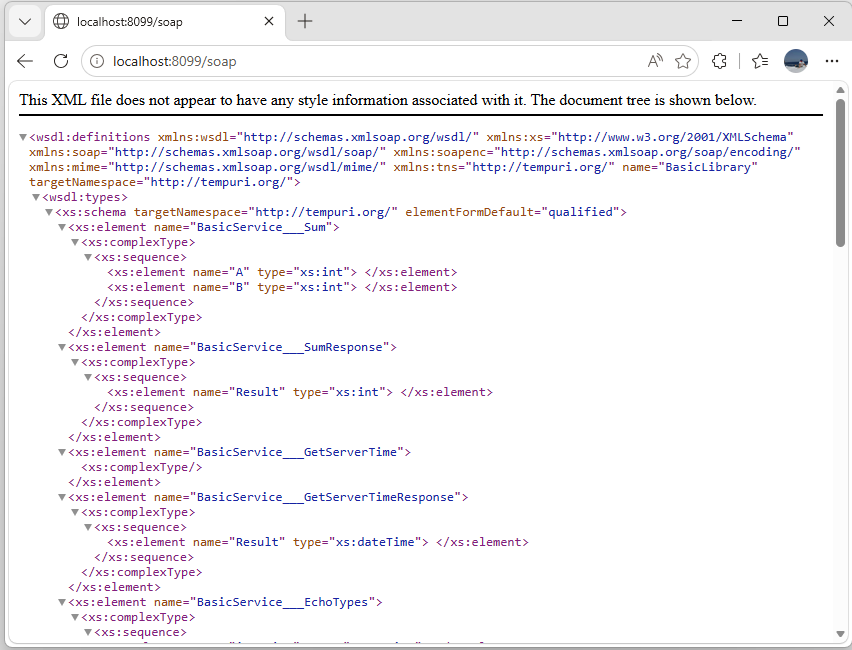
This WSDL is what makes the service "open": any SOAP client, on any platform, can import it and call the service – without knowing anything about Remoting SDK.
Building a standard SOAP client
To prove the point, we will build a regular C# client that does not reference Remoting SDK at all.
- In Visual Studio, create a new Windows Forms App (C#).
- Design a simple form with a
TextBoxfor the service URL, twoButtons, and aLabelfor the result:
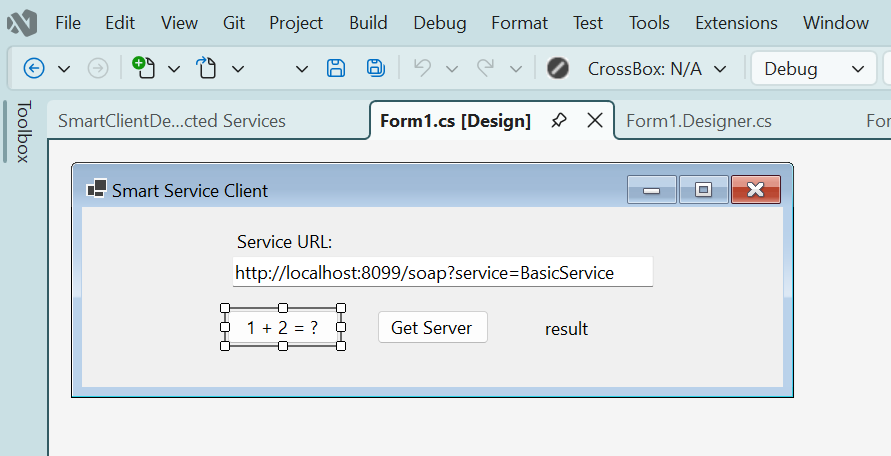
Pre-fill the URL textbox with the SOAP endpoint address, http://localhost:8099/soap?service=BasicService.
Now import the service description:
- Right-click the project and choose
Add→Service Reference. - Pick
WCF Web Service Reference. - In the
URIfield enterhttp://localhost:8099/soapand clickGo. Visual Studio discoversBasicServiceand lists its operations (Sum,GetServerTime,EchoTypes). - Set the namespace to
ServiceReferenceand clickFinish.
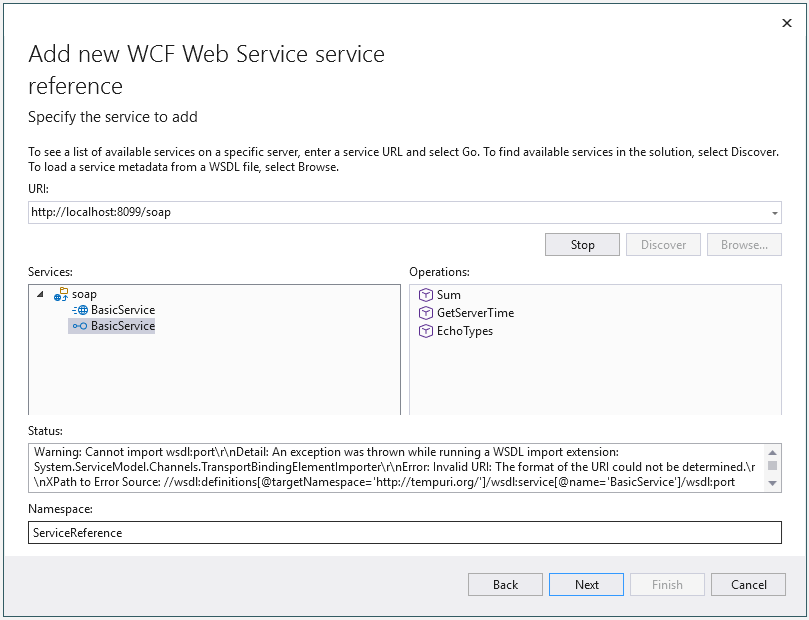
Visual Studio generates a proxy class, BasicServiceClient, under Connected Services.
The WSDL produced by Remoting SDK uses a relative SOAP address, so the import wizard reports "0 service endpoints found" and the generated BasicServiceClient does not get a parameterless constructor. That is fine: we create the client with an explicit binding and the address taken from the textbox, as shown below. (Alternatively, you can set the CustomLocation property of the SoapMessage on the server to an absolute URL so the wizard generates a ready-to-use endpoint.)
Calling the service
Add the following code to the form. The client is built from a standard BasicHttpBinding (SOAP 1.1 over HTTP, which is what the Smart Service exposes) and the URL entered in the textbox:
using System.ServiceModel;

private ServiceReference.BasicServiceClient CreateClient()
{
    var binding = new BasicHttpBinding();
    var address = new EndpointAddress(txtUrl.Text);
    return new ServiceReference.BasicServiceClient(binding, address);
}

private async void btnSum_Click(object sender, EventArgs e)
{
    var client = CreateClient();
    var response = await client.SumAsync(1, 2);
    lblResult.Text = "1 + 2 = " + response.Result;
}

private async void btnTime_Click(object sender, EventArgs e)
{
    var client = CreateClient();
    var response = await client.GetServerTimeAsync();
    lblResult.Text = response.Result.ToString();
}
The imported WSDL gives you full code completion for the generated client inside Visual Studio:
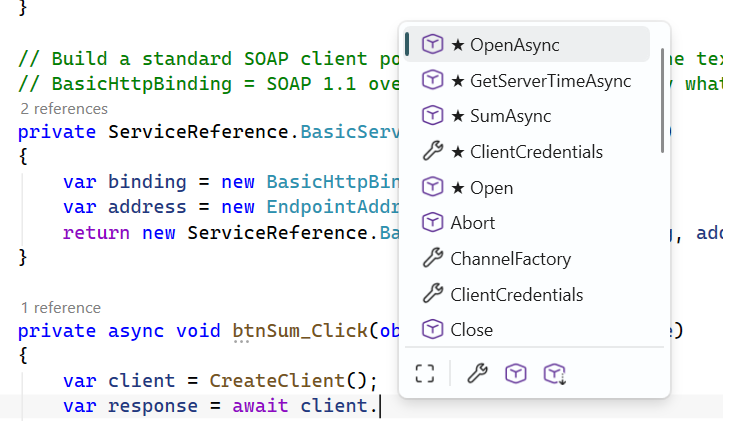
Because of how the WSDL names its wrapper elements, the generated operations return message-contract objects rather than the bare value, so the result is read from response.Result.
Running it
Make sure the server is running, then start the client:
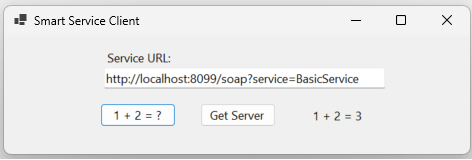
Click 1 + 2 = ? and the label shows 1 + 2 = 3; click Get Server Time and it shows the server's current time:
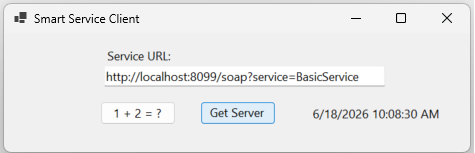
The very same BasicService is now reachable two ways at once: your Remoting SDK clients can keep using the fast BinMessage endpoint, while this plain SOAP client – and any other SOAP-capable platform – talks to it over the open SOAP endpoint. That is the whole point of a Smart Service.
The complete client project shown above can be downloaded here, if you would rather run it than build it from scratch.